
Introduction
Mathoria Android math learning app is my first educational Android application and my first complete project published on the Google Play Store.
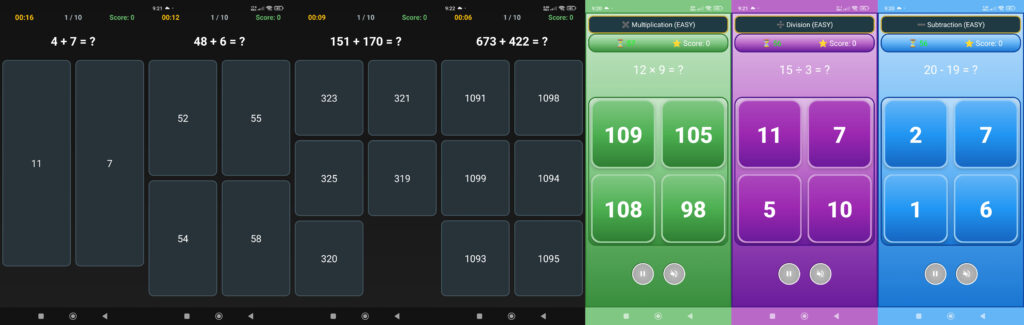
Mathoria is a game-based Android math practice app designed to help users improve addition, subtraction, multiplication, and division skills through simple and interactive gameplay.
I built the Mathoria Android math learning app using Android Studio and Java, and the entire development process took a little over two months.
In this article, I share my real experience as a beginner Android developer—covering decisions, mistakes, challenges, and lessons learned while building and publishing my first Android app.

Why I Built the Mathoria Android Math Learning App
As a beginner developer, my goal was not to build a perfect product, but to create something that was:
Educational and practical
Simple in concept but challenging to implement
A real Android app—not just a tutorial project
Basic math is part of daily life, yet many people struggle to keep calculations sharp without regular practice.
That made a math learning app the right choice for my first real-world Android project.
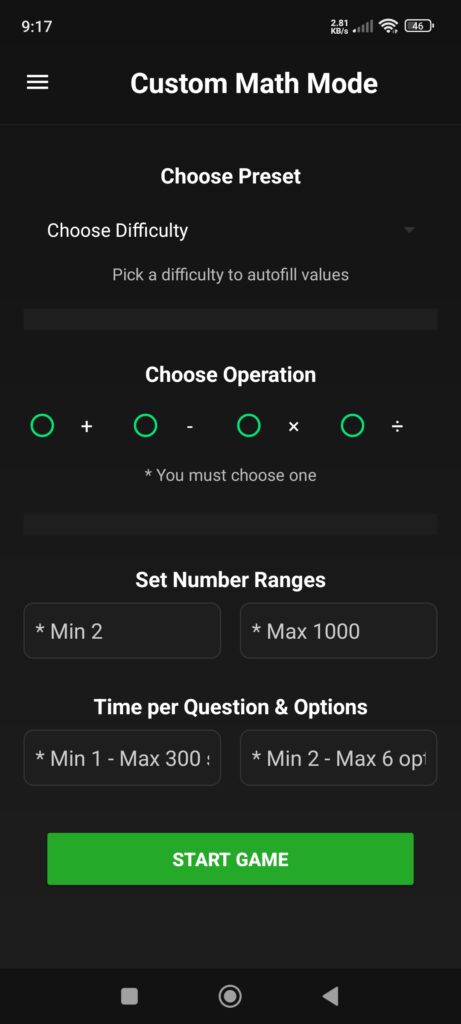
App Overview: What Is the Mathoria Android Math Learning App?
Mathoria Android math learning app is an educational Android game focused on learning through repetition, accuracy, and performance tracking.
Core Features of Mathoria
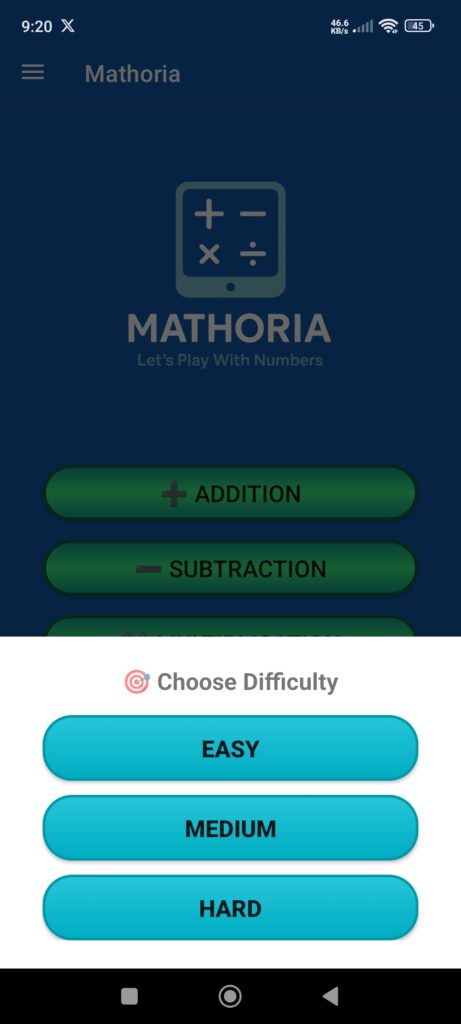
Practice addition, subtraction, multiplication, and division
Two interactive math game modes
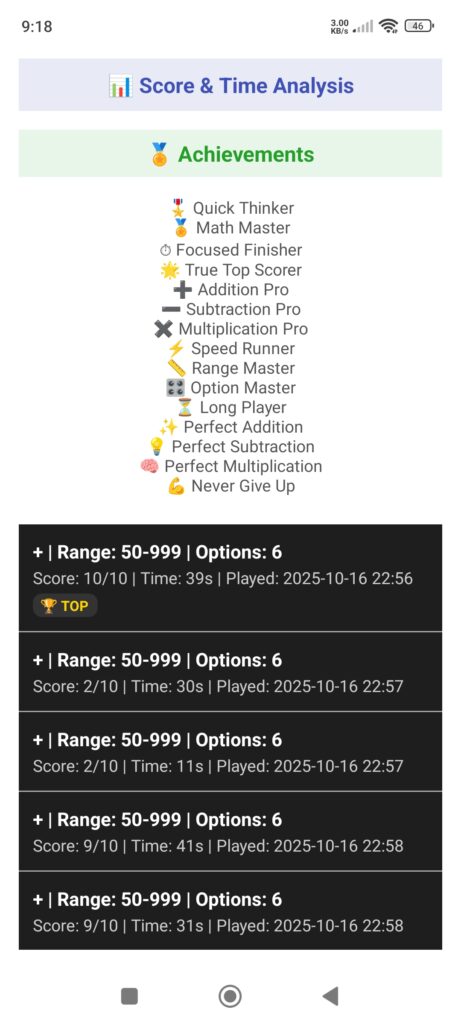
Saved practice history with time and results
Statistics and achievement tracking
Offline access for premium users
Ads with an option to remove them
These features helped me understand how real-world educational Android apps are structured and maintained.
You can explore more details on the Mathoria app features available on this website.
Math Game Modes Explained in Mathoria
Classic Math Game Mode
The Classic Math Game mode is designed for quick and focused practice.
Users answer math questions under predefined rules, emphasizing speed and accuracy.
From a development perspective, this mode helped me learn how to manage game flow, timers, and scoring logic inside an Android app.
Custom Math Game Mode
The Custom Math Game mode allows users to customize:
Type of math operation
Difficulty level
Practice style
This mode pushed me to design reusable and flexible logic instead of hardcoding every scenario—one of the most common challenges beginner developers face.

Saving User Progress, History, and Statistics
One of the most challenging parts of building the Mathoria Android math learning app was saving user data correctly.
The app stores:
Practice duration
Accuracy and results
Session history
Statistics and achievements
I learned that data persistence in Android is not just about saving values—it requires careful planning around performance, timing, and scalability.

Ads, Premium Access, and Monetization Strategy
Mathoria follows a simple hybrid monetization model:
Banner ads
Interstitial ads
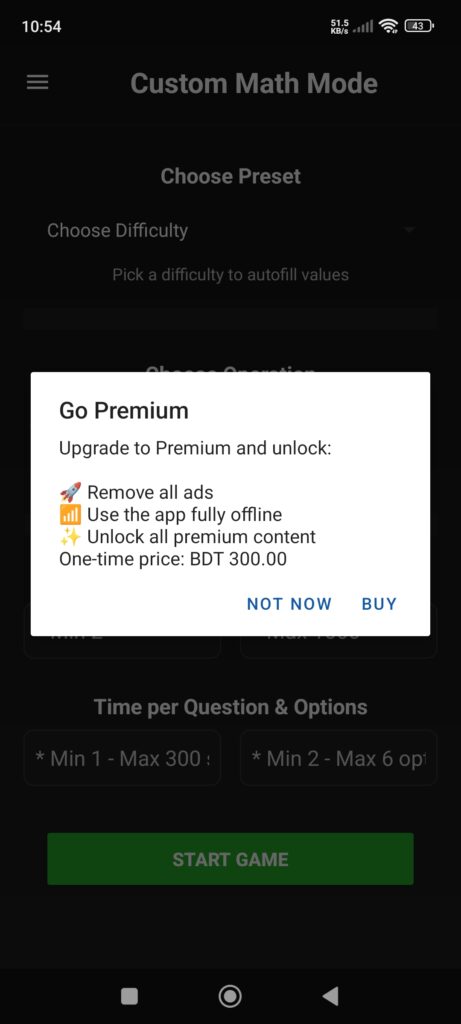
“Remove Ads / Go Premium” option
Premium users can:
Use the app without ads
Access all features offline
Because Mathoria is an educational Android math learning app, I intentionally avoided aggressive ad placement.
At this stage, monetization was secondary—the primary goal was learning how ads and in-app purchases work in a real Play Store environment.
Why Mathoria Is Designed for a General Audience
Mathoria focuses on basic mathematical calculations that are useful in everyday life.
Many people—regardless of age—struggle to recall calculations quickly without regular practice.
The main purpose of the Mathoria Android math learning app is to encourage consistent practice, helping users improve speed, accuracy, and confidence through gameplay.
From a publishing perspective, designing Mathoria for a general audience also allows flexibility in monetization features while staying aligned with Google Play policies.
Technology Stack Used in Mathoria
The Mathoria Android math learning app was built using:
Android Studio
Java
Although Kotlin is popular, I chose Java because:
I was already familiar with it
My priority was completing a full Android app
Shipping a finished product mattered more than switching technologies
For a first app, this decision helped me stay focused and complete the project successfully.

Publishing My First Android App on Google Play
Publishing Mathoria introduced challenges beyond coding:
Play Console requirements
Store listing setup
Policy explanations
Pre-release testing
After launch, user growth was slow—which is normal for a first Android app.
Publishing does not guarantee downloads; it requires patience, iteration, and continuous learning.

Mistakes I Made as a Beginner Android Developer
Some mistakes I made while building Mathoria:
Underestimating UI/UX complexity
Spending too much time polishing early features
Expecting faster user growth
Not planning promotion early
These mistakes were frustrating but became valuable learning experiences.
Key Lessons From Building My First Educational Android App
This project taught me:
How real Android apps are structured
Why consistency matters more than perfection
The importance of publishing a finished product
How much there is still to learn as a developer
Most importantly, building the Mathoria Android math learning app gave me confidence that I can create, publish, and improve real software.
What’s Next for the Mathoria Android Math Learning App
Mathoria will continue to evolve. Future plans include:
Improving UI and overall user experience
Optimizing performance
Adjusting difficulty levels
Learning from real user feedback
I will continue documenting my developer journey through real-world projects like this one.
Final Thoughts
Mathoria is my first educational Android math learning app—not perfect, but real.
If you are a beginner Android developer, my advice is simple:
Build something real, publish it, and learn from the process.
To enhance your math skills, you can try the Mathoria Android math learning app, available on the Google Play Store.
